
Flexible Test Management
Built To Simplify Testing.
Ditch the bloated, one-size-fits-all tools. With TestFiesta, you test your way — $10/user/month, every plan, every team size.
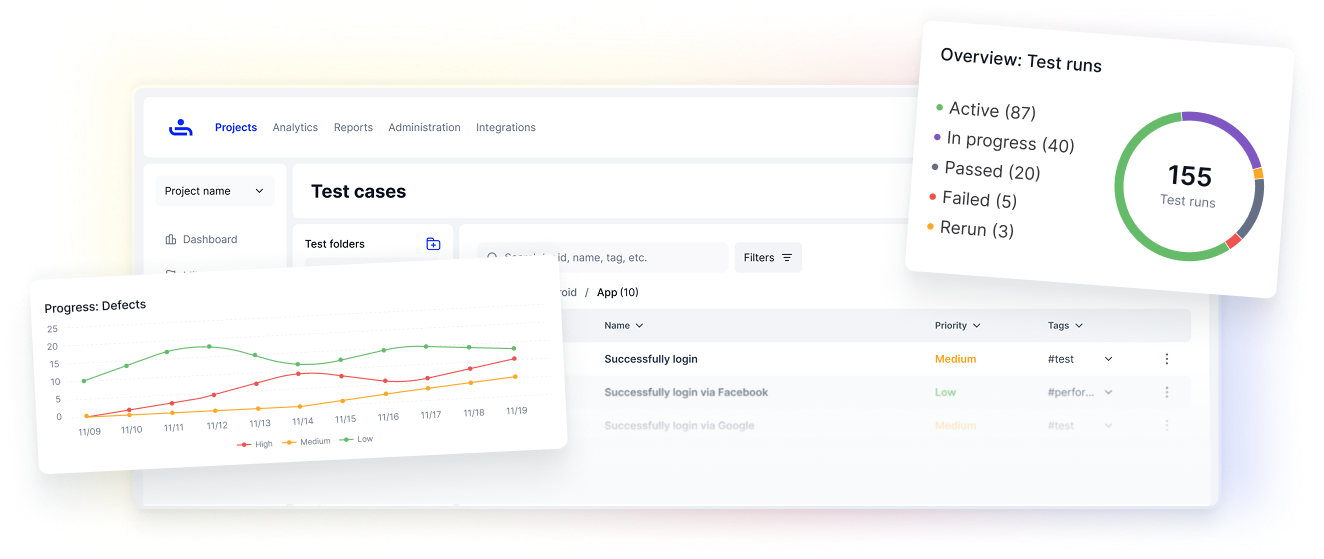
Trusted by QA teams shipping software at every scale
Flexible for any workflow. Simple to start today.
Priced so you never have to compromise — at five users or five hundred.
Ease of use
Quick to learn, fast to adopt, and intuitive from day one. No steep learning curve.
Team scalability
From 5 users to 500, TestFiesta grows with you. No performance bottlenecks.
Unbeatable price
$10/user/month. That’s it. No tiers, no price hikes.
See how everything connects.
Test cases, executions, and defects flow together in one place. Teams save 4-7 hours per week.
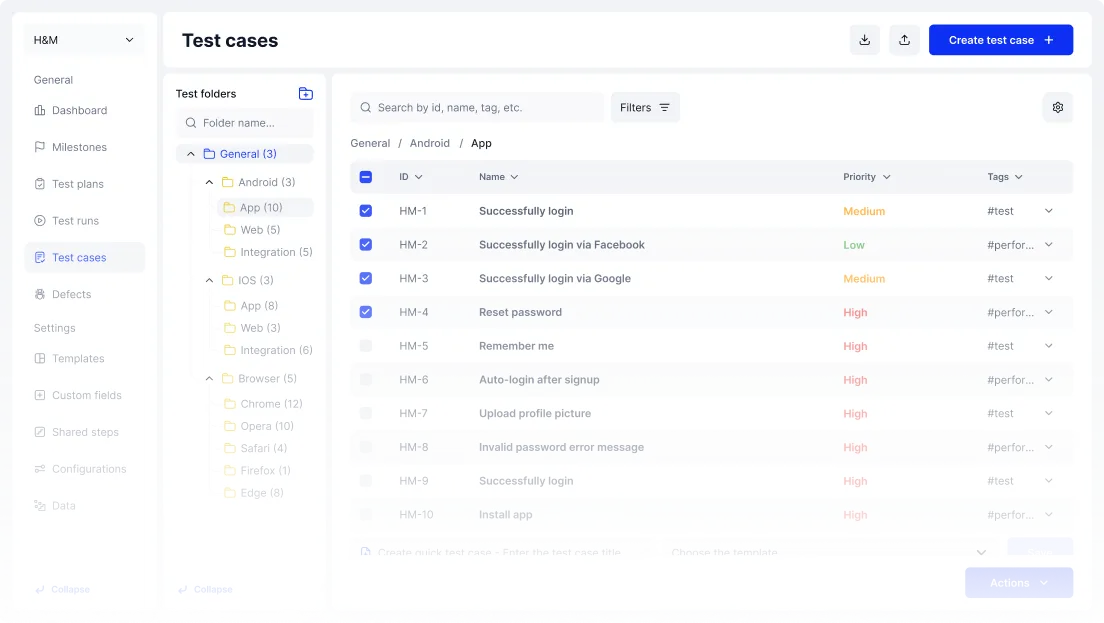
Test Cases
| ID | Name | Priority | Status | Updated |
|---|---|---|---|---|
| DEMO01-25826 | Verify correct display of product details | Low | Active | May 5 |
| DEMO01-25684 | System-Wide Language Switching | Critical | Active | May 3 |
| DEMO01-25686 | Global Footer Navigation Links | Critical | Active | May 2 |
| DEMO01-25685 | Contact Support Form Submission | Low | Draft | Apr 28 |
| DEMO01-25683 | Guest User Booking Restriction | Medium | Active | Apr 25 |
Your Context In, Real Tests Out
Feed it requirements, screenshots, or user stories. Get structured test cases that match your product — not generic templates.
Add Your Context
Drag in requirements, paste user stories, attach screenshots. The copilot generates from what you provide — not thin air.
Enterprise Power. Startup-Friendly Pricing.
No confusing tiers. No per-feature charges. One simple plan that gives every team member full access to everything TestFiesta offers.
Everything included. No surprises.
- Unlimited projects and test cases
- AI Copilot for test creation
- Native Jira and GitHub integrations
- Built-in defect tracking
- Full API access
- Pay only for active users
No Hidden Costs
Other platforms lock features behind expensive tiers. TestFiesta gives you every feature at one price. No "Enterprise" upsells, no feature gates.
Scale Without Worry
Grow your team from 5 to 500 at the same $10/user rate. No volume penalties, no renegotiation. Your costs stay predictable as your team grows.
Pay Only for Active Users
Team members come and go. With TestFiesta, you only pay for users who are actually active. Inactive seats are automatically paused.
Migrate From Any Platform In Minutes
Step 1
Export test cases from existing tools.
Step 2
Import them to TestFiesta.
Step 3
Map the fields and you are ready to go!
Using TestRail? We integrate directly with your TestRail instance to populate your TestFiesta data!
Explore the Platform
TestFiesta goes deeper than what you see here. Explore our dedicated feature pages to see each capability in detail.
Flexible Features
Reusable templates, universal tagging, shared steps, and more. Features that adapt to your workflow and eliminate busywork.
Built-In Bug Tracking
Capture defects where you test, collaborate in real-time, and hand off seamlessly between QA and development.
Deep Jira & GitHub Integrations
Sync fields, auto-update statuses, and turn failed tests into Jira or GitHub issues with full context.
Ready for a Platform that Works
If you want test management that adapts to you -- not the other way around -- you're in the right place.
Welcome to the fiesta!